Cash flow and budgets
A budgeting app that shows what your spending means for the rest of your plan
Most budgeting apps stop at the monthly total. QuantRidge tracks the spending, then carries the surplus into the rest of your finances: the investing, the retirement odds, the tax and the goals it pays for.
From $59/mo flat · 14-day free trial · Not a percentage of assets
Budgeting without the busywork
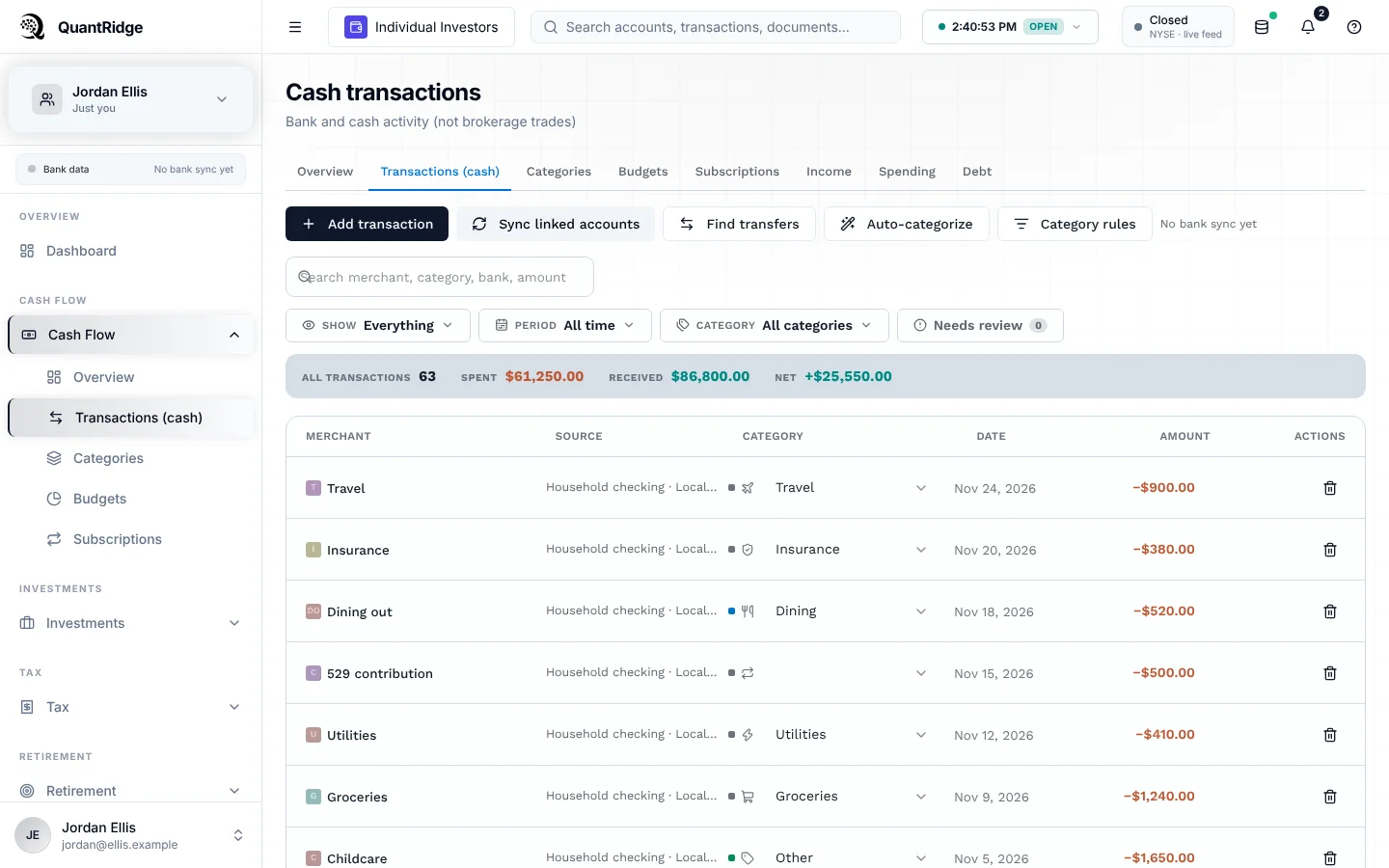
Transactions in one list
Bank and card activity from linked accounts or imported statements, with what you spent, received and kept for any period.
Categories and rules
Default categories you can rename, plus your own, and rules that categorise a merchant the same way every time.
Transfers found for you
Money moving between your own accounts is matched and left out of spending, so the totals are real.
Monthly budgets
A limit per category measured against what you actually spent. A category with no limit is simply unplanned, not over.
Income, spending and debt
Income by month, spending by category, the savings rate against last month, and the debts you are paying down.
Next to your goals
Your goals and retirement plan live in the same app, so you can see what the money a cut frees up could fund.
How it works
- 1
Bring your transactions in
Link bank accounts or import a statement. Transfers between your own accounts are found for you.
- 2
Set the limits that matter
Budget only the categories you want to watch. Rules tidy the rest.
- 3
Watch the surplus
See this month’s surplus and your savings rate, then put it to work on your goals.
Why budget in QuantRidge
More than a budget
The same app holds your investments, tax, retirement and estate, so budgeting is the start of the plan, not a separate chore.
Private by design
No ads and no selling your data. Sensitive fields are encrypted, and sharing with anyone, including your household, is your choice.
Flat price
From $59 a month, flat, with a 14-day free trial. Essentials, Plus and Pro all include the whole app and differ only in monthly AI allowance. The next 50 approved accounts pay $40 a month for their first 12 months, with Plus allowances, then $79.
Questions people ask
Can I link my bank accounts?
Yes. Link bank and card accounts, or import statements if you prefer not to. Linked accounts sync; imported ones update when you import again.
Does it categorise transactions automatically?
Yes. Auto-categorise sorts new transactions, and category rules make a merchant land in the same category every time. You can change any of them.
Is it only a budgeting app?
No. Budgeting is one part. The same account covers investments, tax, retirement, real estate, equity compensation and estate planning.
Can my partner and I share a budget?
Yes. Add someone to your household; they see nothing of yours until you allow it, and either of you can withdraw access at any time.
Coming from another tool?
Honest comparisons, including when the other tool is the better choice.
See your whole financial picture
Link your accounts in a few minutes and try everything free for 14 days.